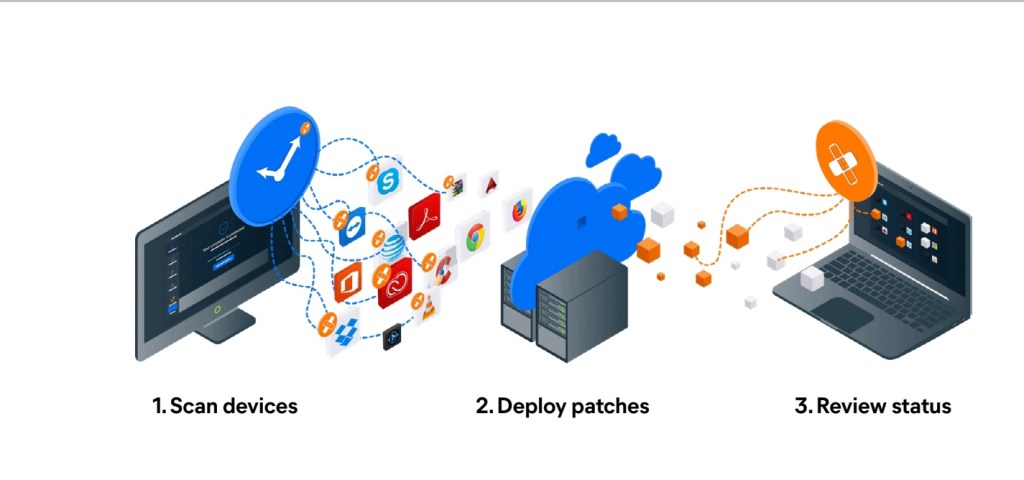
Hello world , I’m seeing the love thank you all for the support the UNSTOPPABLE team and I appreciate it. We’ve looked at a few virus entry points so far and this one seems to be neglected so we hope this helps you understand why you need to “patch”.
Patch Management
Identify critical vulnerabilities and
quickly deploy updates to all endpoints.
Patch management plays a critical role in endpoint security, but many businesses are reluctant
to patch because there are too many patches, patching often interrupts operations, and they can
cause problems with other systems. Avast Business Patch Management takes the guesswork
out of patching by identifying critical vulnerabilities and making it easy to deploy patches
across all endpoints from one central dashboard.
Patch automation to save time and money
Distribute thoroughly tested patches to thousands of devices in minutes with minimal impact on
your network.
Third-party application patching
Patching support for Microsoft Windows and hundreds of popular vendors like iTunes®, Oracle®,
Java, Adobe® Flash®, Reader, and more.
Remote patching
Patch all Windows devices anywhere – whether they’re behind the firewall, on the road, at
remote sites, or even asleep.
Centralise management
Manage software updates from a single console.
Mitigate and close vulnerabilities
Achieve compliance, mitigate exploits, close vulnerabilities, and remotely deploy software and
Windows updates

Features
Flexible deployment schedules
Schedule and deploy approved patches at desired times
or manually deploy to groups or individual devices.
Intuitive dashboard
Manage all software patches and view graphical
summaries of installed, missing, or failed patches from
any device.
Customizable patches
Choose which patches to scan for and install based on
the software vendor, product, or patch severity. Easily
create exclusions for applications.
Master agent capabilities
Download all missing patches to a master agent that
seamlessly distributes patches to all managed devices
in the network.
Patch scan results
View detailed results from a single platform that includes
information on missing patches, severity levels, knowledge
base links, release dates, descriptions, and more. software
with a variety of easily configurable reports.
Comprehensive reporting
Easily determine the health and security of device
software with a variety of easily configurable reports.
Automatic scans
Schedule patch scans to run automatically every 24
hours and set patches to deploy automatically every
Thursday. These default settings can be customized at
any time.
Thousands of patches
Deploy patches for Windows operating systems and
thousands of other third-party software applications for
comprehensive protection.
Roll back patches
Simply uninstall patches if they are unstable from
individual devices or you experience an issue so that
your users can continue working without downtime.
Approve patches
A safeguard mechanism, so you know exactly what
patches have been approved for deployment and which
ones have not been approved.
That covers the functions but the reason I’ve chosen this is because we seeing big corporations fall victim to malware and ransomware attacks for example ShopRite Holdings has lost 600gb of client information and it could have been prevented by simply patching any potential threats . Well I hope you picked up something . Which topics would you like to know more about ? Let me know down in the comment section.


 Inexora
Leave a comment